
Pet Care Plans SaaS Platform — Module Integration
The complete UX/UI solution was designed in Figma, including reusable components, interface screens, interaction states, and an interactive prototype. For this demo, three key screens are presented as static views to highlight the core VCP–vOS integration.
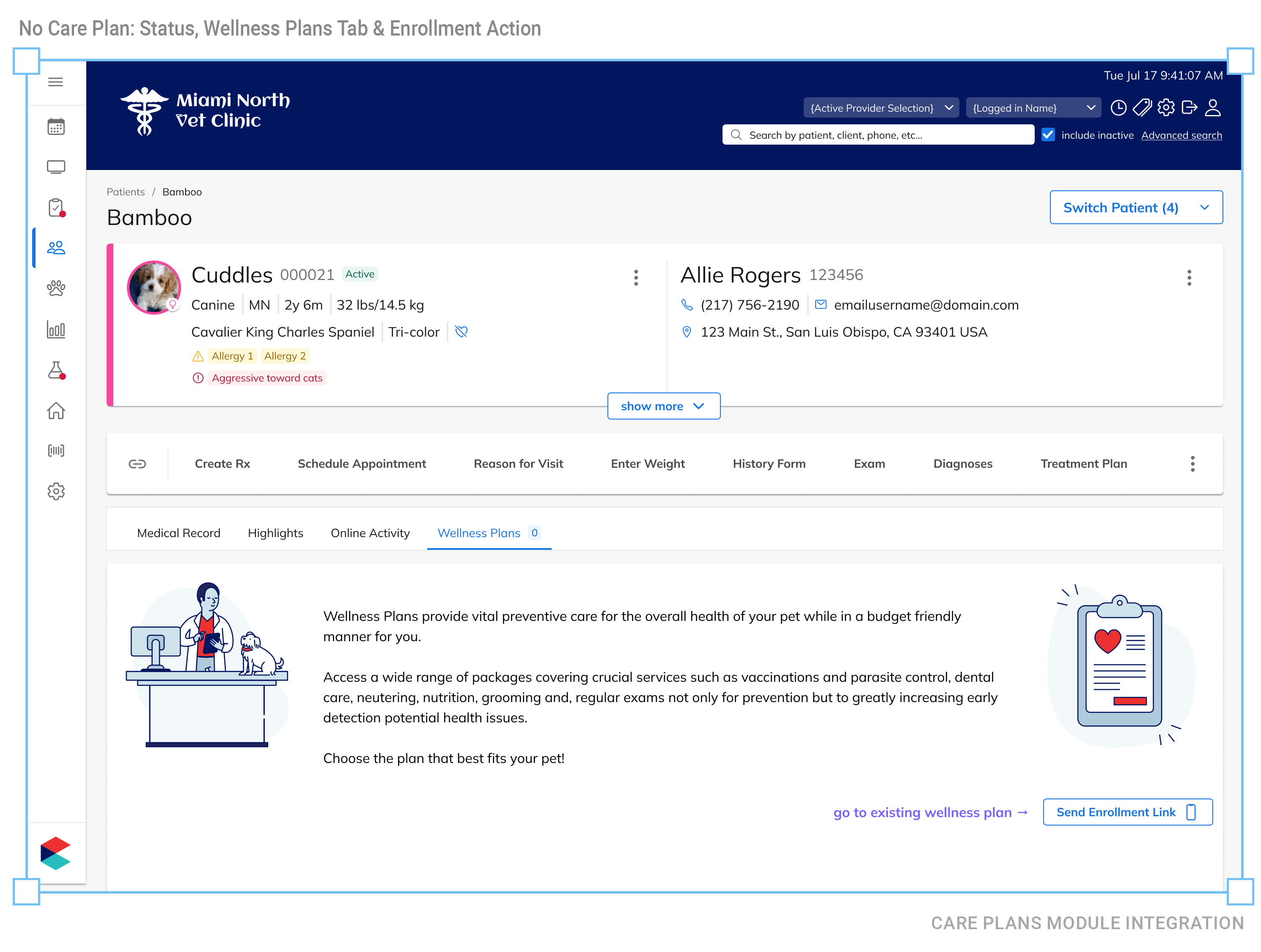
ANNOTATIONS | SCREEN 1
1. No Active Care Plan
The crossed-heart status icon indicates that the patient has no active care plan.
2. No Wellness Plans
The Wellness Plans tab displays a count of 0.
3. Enrollment Action Enabled
With no plan assigned, the application enables staff to send an enrollment link to the pet parent.
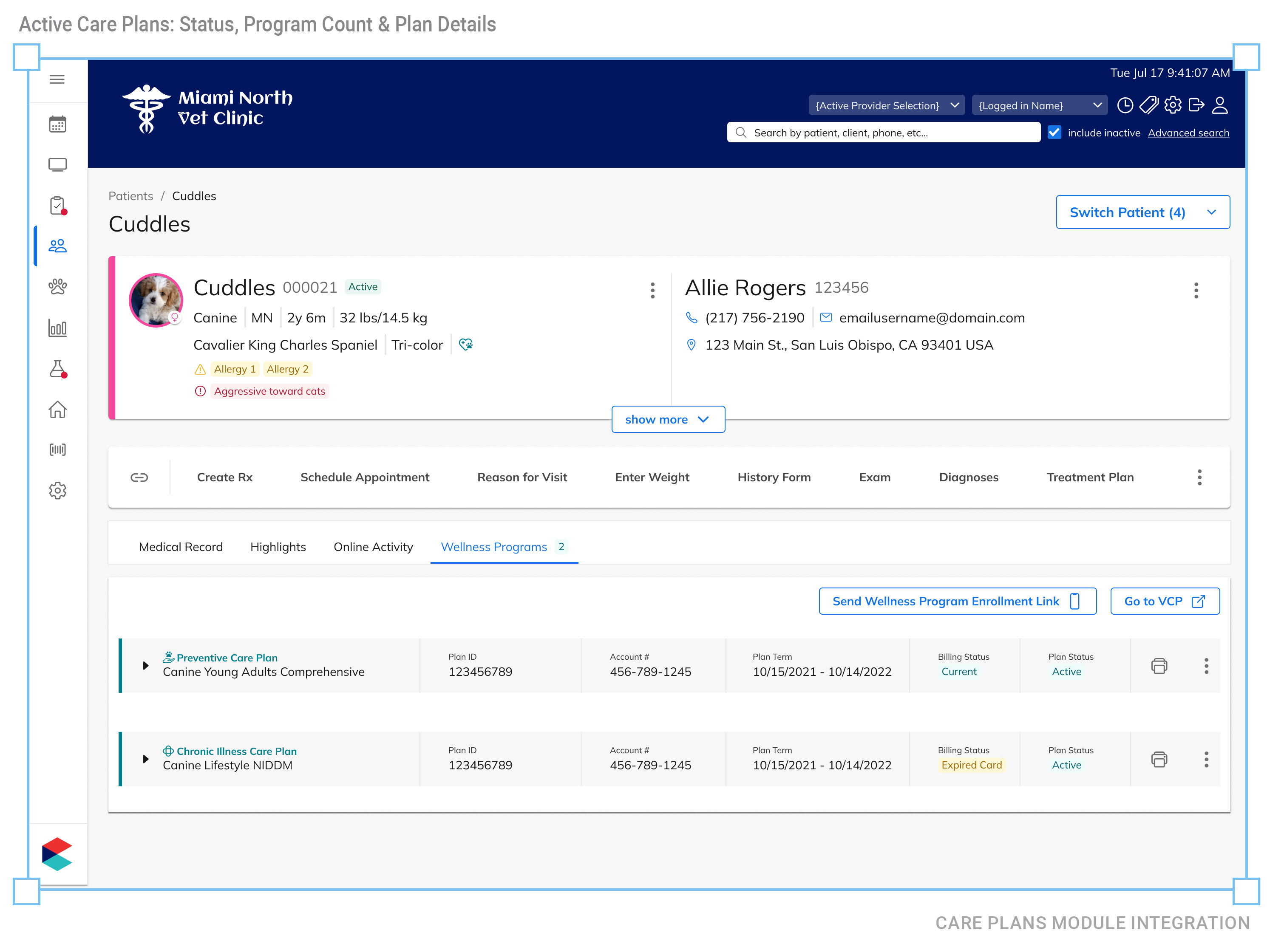
ANNOTATIONS | SCREEN 2
1. Active Care Plan
The heart status icon indicates that the patient is enrolled in a care plan.
2. Two Wellness Programs
The tab count shows two programs associated with the patient.
3. Program Details
The expanded view lists a Preventive Care Plan and a Chronic Illness Care Plan, including enrollment, billing, and plan status.
4. Additional Enrollment Available
The enrollment link remains available, allowing the pet parent to enroll the patient in additional wellness programs.
5. Care Plan Management in VCP
The “Go to VCP” button becomes available when the patient has an active program, providing access to the platform where all care plan details are managed.
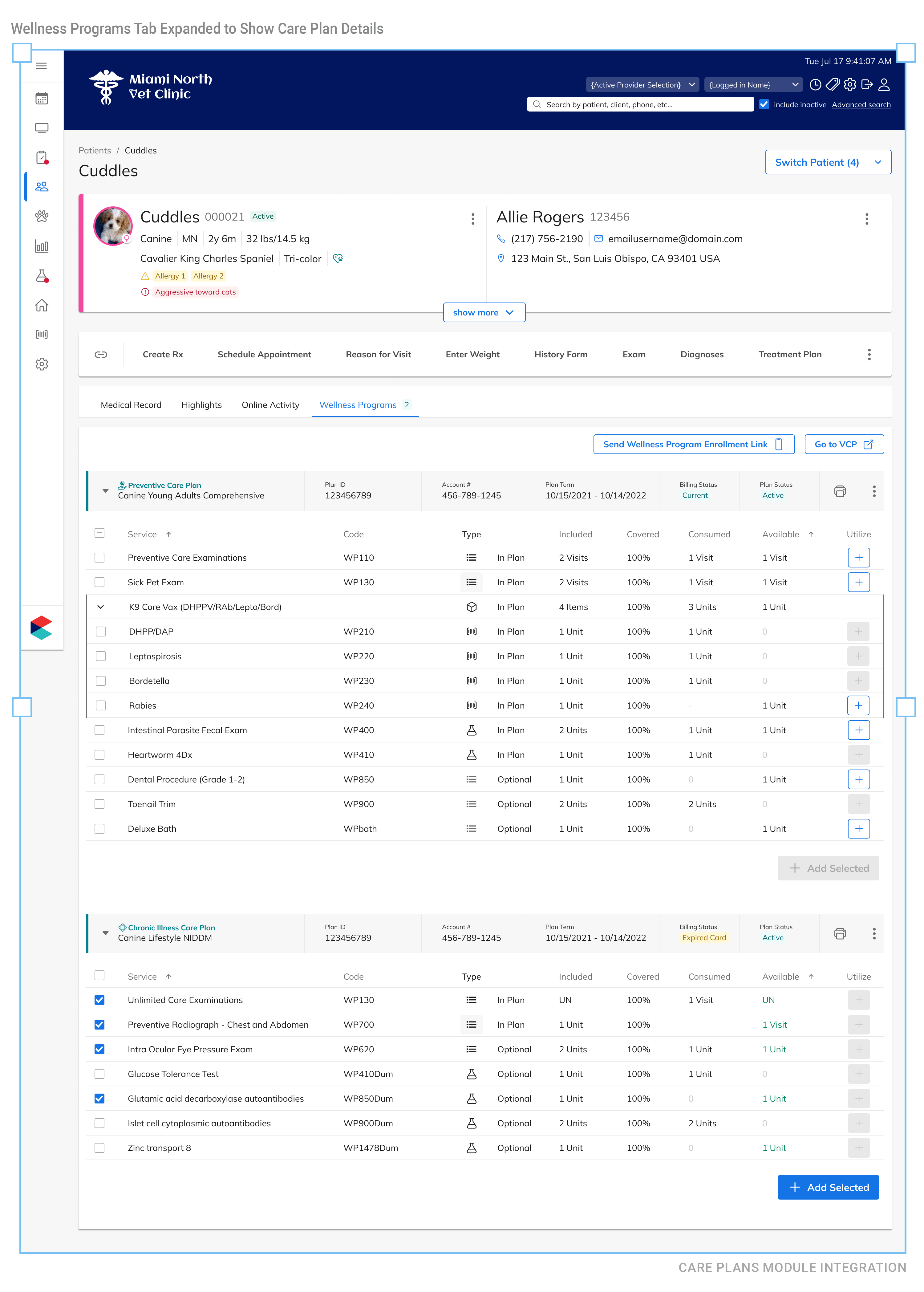
ANNOTATIONS | SCREEN 3
1. Expanded Care Plan Details
Both care plans can be expanded to display their complete service and coverage details.
2. Service Coverage and Utilization
Each plan shows the services included, coverage percentage, consumed benefits, and remaining availability.
3. Expandable Service Groups
Bundled services can be expanded to reveal the individual items included in the care plan.
4. Add Available Services
Available services can be selected individually or as a group and added directly to the patient’s visit.
By accessing this work sample, you agree to maintain the confidentiality of all the assets. All content and materials are copyrighted and belong to the respective company brand(s) for which this presentation was produced. This presentation is part of my professional work and is intended solely for demonstration purposes. Unauthorized disclosure, distribution, or use of any information contained in this presentation is strictly prohibited. Thank you, Silvia Reinhardt